Showing posts with label Architecture. Show all posts

Friday, 6 January 2017

What is software architecture?

What is software architecture? In the previous article "What is architecture?" we stated that architecture is about:
  • Structural elements
  • Connective elements
Let us talk about these with regard to a software system.  In our next article we'll talk about good and bad architecture.

Structural elements

Structural elements in software are layers that support other layers in the system:
  • the language libraries are built on the functionality provided by the O/S
  • the functionality of the software product is built on the language libraries
  • 3rd part libraries that you are using are built on the previous 2 layers
  • your code is built on all the previous layers

So any program you build has at least the following structural elements:
In a well designed system, your code will also break into layers specific to the application that you are building.  Each layer ideally only depends on layers underneath it, otherwise you will have circular references; asignal that there is a challenge or that something is wrong. 

Connective elements

Every software system has connective elements that communicate across the different layers.  Often 3rd party libraries are shared services that provide core services like data structures (XML, JSON, etc), logging, debugging, and other services.

Inside your code you will also have shared services that are used by every layer, this is diagrammed as follows:
Where layer 1, 2, ..., N represent the layers in your code and the share services are shown vertically as they cut across all the layers.  Layer N represents the UI layer of the system and the functionality at that layer depends on all the layers below it.

Generalizing Architecture

When people are talking about software architecture, they are not just talking about the structure of the code.  Often people are talking about the machines and O/S components as well.  So for example when people are talking about the LAMP architecture they are talking about:

  • The O/S -- i.e. Linux
  • The web server -- Apache, running on Linux
  • The database -- MySql, running on Linux,
  • The code -- PHP running on the MySql database using services from the O/S
Note: The PHP layer is further broken down like the diagram above in the Structural Elements section.

The LAMP architecture involves structural elements.  Connective elements are simply the ones created inside the PHP layer or generally provided by the O/S.

So when relevant, architecture includes:

  • The O/S
  • All support services, i.e. webserver, database, etc.
  • The high level applications written by you or a 3rd party

General Software Architecture

For the structural elements of software we are taking about layers.  Those layers can be relative to the O/S such as how the O/S communicates with support services (web servers, databases, etc) or how your applications communicate with support services and the O/S.

Within your application there are different layer interactions, there is 1) how your base layers are built on the APIs of your language and the 3rd party libraries that you have installed, and 2) how you have broken up your layers to communicate with the different parts of your software.

The main structural elements of any model-view-controller (MVC) program looks somewhat like this:
  • The model layer a.k.a. business layer is built on 3rd party APIs and O/S APIs
  • The view layer a.k.a. GUI layer is built on 3rd party GUI APIs
  • The data layer is build on database APIs
All of the APIs that you are using are based on the standard APIs of the language that you are using.

Implications

  • Changing languages requires that every layer above it be reconsidered
    • This means that if you change languages and some 3rd party API must be changed then the layer above also needs to be changed
  • Strict separation in layers means that you can change a 3rd party API and only a single layer of the MVC system is affected
    • Often developers color between the lines and a change of a 3rd party library causes quite a bit of pain as the layer infractions are found
  • Not having enough of a business layer will be problematic because it is one of the main separating structures between your view/GUI and data layers.
    • People discover lacking business layers when they change their database APIs or databases and have the problems propagate all the way through the GUI
    • Often when business functionality is built into the model/GUI layer then that functionality is lost and needs to be recoded when a new GUI API is used

Connective elements

Connective software elements are used to shuttle data between the structural layers of the system. These connective elements are generally available everywhere (although they can be limited to a few layers).

Easily understood connective elements are those used in debugging and logging.  These elements are available universally, e.g. debugging and logging routines can be made available in all layers without worrying about layer dependency.

Other connective elements are most easily recognized because they are routines shared across layers of the architecture.  More specifically, they are the libraries/modules that are included into multiple layers of the program.


So now we have defined what structural and connective elements are in software, next we describe what it means to have good architecture and bad architecture.

Thursday, 8 December 2016

What is architecture?

On a regular basis we hear people talk of good and bad architecture, but what is architecture?

Before I describe software architecture, let's see if we can come to an agreement of what architecture is.  What are the components of architecture, and what value does architecture have.


Architecture provides the structural and connective framework required for a system of components to function.  Architecture is specific to a context, good architecture for a software system is different from that of a car or a building.

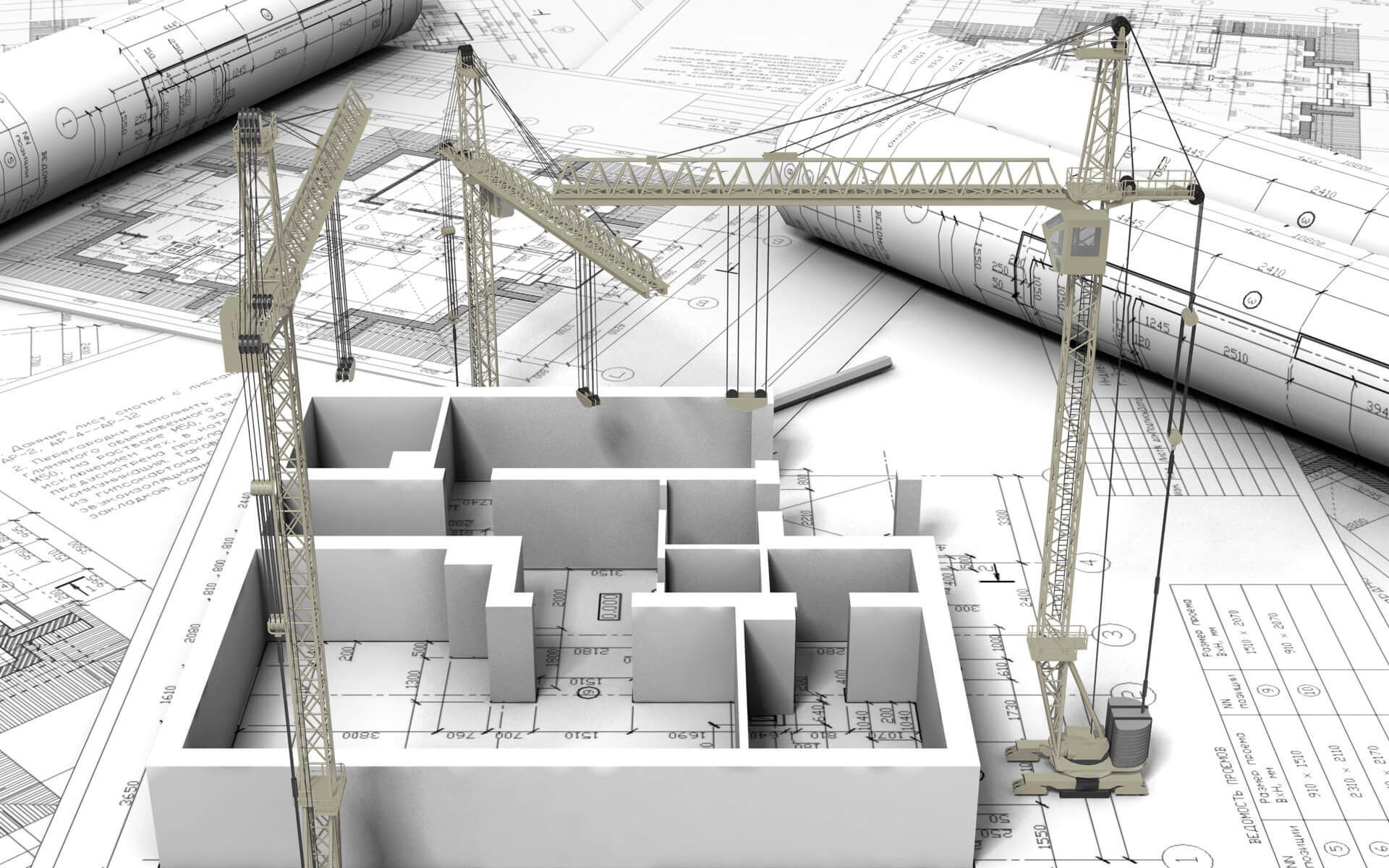
Architecture in general is not visible, it is present in the system but under other visible design components.  Before a discussion of software architecture, it would be best to describe architecture using physical objects.

Architectural Elements

Architecture involves two elements:
  1. Structure
  2. connective elements.  
Let's look at these two elements with respect to a building.

Structure for a building involves the foundation and the pieces that provide support to the entire building; it is the skeleton of the building.  If a building has an interesting shape it is because underneath the framework of rebar and concrete support the shape.

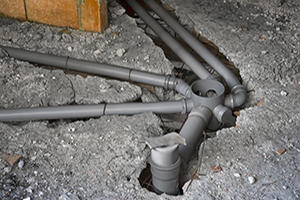
Connective elements can be structural, but they provide a way of linking different structural components for the purposes of transporting something.  Connective elements in a building transport air, water, and electricity.

The structural capability of the framework will dictate how high a building can go; generally speaking architecture determines size.  If the building has a framework of rebar and concrete that will support a 10 story structure, it will be difficult to add additional floors over 10 easily. Adding additional floors will require effort expended to reinforce the existing structural strength of the building


If a connective element is missing then adding it will be expensive.  For example, old brick buildings often didn't plan for plumbing or electricity.  If this element is added afterwards, then it will be much more expensive to put in.

If plumbing is added afterwards then you will see the plumbing running outside the walls. This can lead to problems if the building experiences sub-zero weather. 

It is similarly inconvenient to add electricity or air-conditioning to a building which has not had these connective elements designed into the building when it was built.

For comparison purposes, let's look at architecture in a couple of  contexts:
Object Structural component Connective elements
Building
  • Steel frame
  • Concrete
  • Bricks
  • Plumbing
  • Electrical system
  • HVAC system
  • Elevator
  • Emergency stairwell 
Car
  • Chasis
  • Tires
  • Drive train
  • Steering column
  • Gas conduits
  • Electrical system
  • HVAC system

Architecture and Visibility

In the two examples above, several things about architecture stand out:
  1. Structural components are generally hidden unless they are functional
  2. Connective elements are covered up in the final object
So for a building the structural element of the steel frame is invisible hidden under finishing elements. But there are cases where we see concrete or brick walls exposed.  Structural elements are generally not attractive and so we put in extra effort (i.e. cost) to hide the structural elements. Sometimes in the case of concrete or brick walls we will leave them exposed because the visual need to hide these elements are not there, i.e. a warehouse.

Connective elements are almost always hidden.  The sight of electrical wires, plumbing, or HVAC tubes is not aesthetically pleasing and we generally hide these elements.  If we are hiding a connective element, they are cheapest to put in when an object is being created the first time.

Cost of Fixing Hidden Connective Elements

Repairing a hidden connective element is expensive.  For example, fixing plumbing and electrical wires in a house are expensive depending on how hard it is to access the connective element.

Adding a connective element after the fact is much more expensive and much less attractive.  There are brick buildings that were built prior to indoor plumbing and electricity being available.  A good example of these buildings are the residences at Harvard or old brick warehouses that are now office space.  In the case of the Harvard residences the plumbing runs outside the residences and due to the winter weather in Boston, is subject to freezing.  Adding electricity to a brick warehouse involves running metal conduits inside the walls; since they are exposed, they are subject to water accidents.

Visible Structural Elements

In the case of a car the tires are a structural element, but they are exposed to view.  This is why effort goes into making the tires as attractive as possible, i.e. white wall tires, decorative hub caps, etc.

Purpose of Architecture

Once the architecture is set it determines two things:
  1. The size of an object
  2. The functional capabilities of the object
As previously mentioned, the structural architecture of a building will dictate its maximum size and the connective elements will outline its capabilities.  Connective elements are always about functional capabilities.

The purpose of structural architecture is to partition an object into sub-components that are independent and can be designed separately.  For example, in a building, the structural architecture allows you to subsequently design each of the apartments separately without worrying about how the design of one room affects another.

For a car, the main structural element of the chassis allows you to design the following sub-components separately:
  • engine
  • doors
  • lights
  • seats
By allowing sub-components to be designed separately we subdivide a problem (i.e. divide-and-conquer), which reduces the complexity of overall design.  It allows separate teams to work on the sub-components.  Good architecture facilitates strong polymorphism in the sub-components.

In an apartment, each apartment can be designed differently and by different people.  In a car, the engine can be designed by one group of people different from that designing the doors, lights, or other part of the car.

The connective components in each object either: 1) provides a shared service that is accessible to multiple components, or 2) provides a coordination of sub-components to achieve a higher level function.

Electricity, plumbing, and HVAC are all examples of shared services that are available to an entire building.  The usage of electricity in one room does not dictate the usage of electricity in another room, however, aggregate usage of electricity is sized by the architecture.
Elevators for a building and steering columns and the gas system of a car are examples of components that are coordinated across multiple levels of the object.  They provide an overall functionality when all of the sub-components coordinated are functioning.

In general, if one of the sub-components is not functioning then the entire set of coordinating objects will fail to function.  For a car, if any component in the diagram fails then the engine itself will fail.

Summary

In any object composed of multiple sub-objects there is architecture.  Architecture provides two different but related functions that is:

  1. Structural components
  2. Connective elements
The architecture of an object dictates how large it can be and determines how separately each sub-component can be designed.

This article focused on physical objects, the next article will focus on software architecture.

Friday, 7 October 2016

Why Outsourcing Fails


Every year, we see corporations outsource operations only to pull back back some, if not all, of the operations. When this happens, the cost of pulling back operations or splitting things over multiple countries can leave you with significant operational issues and similar or worse costs.

Successful corporations understand the need to control costs in operations. The "spare no expense" philosophy of John Hammond in Jurassic Park is a one way ticket to disaster.

But, a focus on cost reduction is what leads corporations to face-fault when they outsource.

Corporations are seduced by the idea of potentially cutting costs dramatically; why pay expensive resources to do repetitive things when overseas people can do the same work for pennies?

The cardinal rule when outsourcing is:

Only operations that you completely understand and control can be outsourced 

To understand operations is to understand the costs of exceptions as well as how they are processed and escalated. Local resources deal efficiently with exceptions because they have informal relationships in the organization and use them to get things done efficiently; those relationships are not available to outsourced resources.

When operations gets outsourced, not only do foreign employees not understand how to deal with exceptions but also:

  • They are often in another time zone 
  • They don't have full access to local resources 
  • They don't know who to contact inside the corporation 
  • They don't understand local business rules 
  • The network configuration can make it impossible to communicate properly 

Understanding an operational function means that you capture all details, including exceptions, in your information systems. Often, legacy information systems capture exception information as unstructured fields (i.e. memo fields) and off shore resources will not understand this.

99% of your operations might be straight forward, but the 1% of exceptions can at best lead to longer implementation times.  Best case scenario is that you will look bad to your customers and at worst, it will kill your bottom line.

If your information systems contain exception information in a structured way then at least you can eventually train foreign resources to resolve them. But unless exception information is captured so you can control it (i.e. not in general text fields) then it is the same thing as not having it.

When outsourced resources are under strict performance guidelines, they will do anything to clear their work queues. This often involves kicking back work they perceive as an exception as improperly specified; they will claim 'garbage in, garbage out'.

This will result in miscommunications and longer lead times to implement your services. Not only will delivery times, and errors go up, and your customers will get mad.

By the time you have fired the local employees, all the knowledge of the function has left the building and you are left with a broken system.

Key questions to get answers to:

  • What does each exception in operations cost? 
  • How often do they happen? 
  • Can the information systems record exceptions in a way that you can track and control them? 
  • Are the mechanisms that local resources use to resolve exceptions be used by outsourced resources? 

If you don't have a clear answer to each of these questions then outsourcing is likely to be a disaster. When you have a clear answer to the 3 questions and understand how you will address each exception then you will have much more success outsourcing.

Wednesday, 10 August 2016

Project failure is due to bad requirements


Projects can fail for a number of reasons, but at the root of most failures is a failure to gather correct and consistent requirements.  We've all laughed at some variant of the above diagram, but these issues are all because:
  • We fail to capture correct and consistent requirements
  • We play "broken telephone" when we are communicating requirements
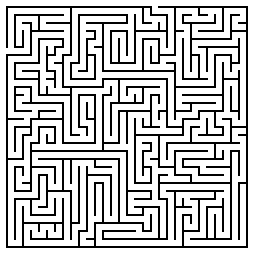
Let's take a concrete example.  Suppose we have an orienteering challenge where you need to go from the start point below to the finish point, this is the actual requirement.  


But, there is a gap between what the actual requirements are and what is actually written down.

Good Requirements

As long as the written requirements don't diverge too much from the actual requirements, you will have time to adjust the requirements during project execution and still get to the finish point.  

So as long as the initial written requirements are in the green zone, you can still complete the project on time because the requirements point you in the correct direction.


Mediocre Requirements

Now suppose one of the following happen:
  • You don't have all the core requirements because insufficient people were consulted
  • You have conflicting requirements from different sources
When you have less than accurate requirements you will be in trouble.  The initial code and architecture of the project will be created based on the quality of the requirements.  If those requirements are suspect, then there will be rework as code needs to be adjusted as the scope of the project seems to shift.

So now you will find yourself in one of the yellow zones below

Even with the best execution, the project will be challenged.  Deadlines will be missed as you attempt to bring the requirements back to what they need to be.  This is like trying to change a tire on a car and discovering the jack is missing.

It is important to realize that adjusting poor requirements is not Scope Creep.  Fixing incorrect and inconsistent requirements is necessary and it is pointless for a project manager or executive to disallow these changes.  It would be worthwhile for project postmortems if the project manager tracked whether a requirement was missing or inconsistent.

Challenged projects are typically declared as successes, but only after massive compromises, burned out resources, damage to reputations, and loss of revenue.  When all the damage is taken into account, this is hardly a victory.


Bad Requirements

The last situation occurs where you only have vague requirements before you start a project.  This situation happens where the executives need a project done quickly and over-estimate the teams familiarity with the subject domain.

These projects start with requirements in the red zone below.  You don't have a prayer of completing this project and it will turn into a Death March with all of its characteristics (see Death March Calculus).


Making core course corrections to bad requirements are like trying to change a tire on a car when you are going down the highway at 100 mph.  It won't happen.

Conclusion

It is human nature to assume that the sooner you start a project that the sooner you will finish.   That assumption is only correct if you have good requirements to point you in the correct direction.  Good requirements are consistent and correct and include at a minimum the core requirements for the primary users.

Starting a project with mediocre or poor requirements is simply a recipe for project failure.  Mediocre or poor requirements are incomplete and inconsistent.

If you have been part of a project failure then you will discover that despite the other factors that went wrong, requirements failure was at the root of it.

Monday, 8 August 2016

Specifically, what is complexity?

People involved in software projects would say that software development is about understanding complexity.

What is complexity?

What can we do about it?

Complexity is easy to define at a high level, but people get vague when pressed for a precise definition.  Let's see if we can:

  • quantify the problem
  • define it
  • suggest how to address it

2 Brooks, Frederick Phillips. “The Mythic Man Month”, 1995. ISBN 0-201-00650-2

Friday, 8 July 2016

User stories or use cases?

Alistair Cockburn says "A user story is to a use case as a gazelle is to a gazebo".

If you are extremely familiar with both techniques then this makes sense.  If you are not familiar with both then suffice it to say that you can put a gazelle in a gazebo but not vice versa.

A user story is of the form As a <type of user>, I want <some goal> so that <some reason> (see here).  

A use case for withdraw money has many more components to it, and a skeleton of such a use case can be found here.  I develop this skeleton use case in a four part tutorial:
  • Part 1: Use case as a dialog
  • Part 2: What is an actor?
  • Part 3: Adding interface details
  • Part 4: Adding application context
The above user story is only a part of the entire use case.  For an ATM, a user story might be As a user, I want to withdraw money so that I can have physical cash.  This user story is only the summary of the withdraw money use case without the details.

User stories come from the Extreme Programming methodology. The assumption was that there will be a high degree of interaction between the developers, and the end customer and that QA will largely be done through test driven development.  It is important to realize that Extreme Programming does not scale.

Once your development team gets large, i.e. you have 3+ agile teams and your code base gets large enough to warrant a formal testing environment, then you will outgrow user stories as your only method of capturing requirements.

You can still use user stories for new modules developed with an end customer to take advantage of the light weight and rapid nature of user stories, but at some point those user stories should transition to use cases.

Unfortunately, there are quite a few ways to build use cases and not all of them are effective.  Alistair Cockburn's method (found here) is an excellent way to capture use cases for more sophisticated systems.  There is no doubt that use cases are heavier weight than user stories, but consider this:
  • Use cases can more easily be turned into test cases by QA
  • With use cases you more easily prove that you have all the requirements
  • Use cases annotated with screens and reports can be used to collaborate with remote off site customers
  • Well written use cases can easily be broken up into a sprint back log
  • Use cases will work if you are not using Agile development methods
So don't forgo the speed and dynamic nature of user stories, just recognize that there are limits to user stories and that you will need to transition to use cases when your project team or application grows.

Friday, 17 June 2016

Ready, Fire, Aim: How most gather requirements

Connecting with your customers and delivering value depends on understanding your customer's requirements and selling the correct product or solution that solves your customer's problems.

Commonly, the requirements gathering process is done hastily or not at all in the rush to get the sale. After all, the faster you can make the sales, the faster the money is in the bank -- correct?

The more that product customization is required, the more it is important understand the customer's actual problem.  Long lead times to build and implement a solution means will not only lead to difficult implementations but also to a more disappointed customer and a loss of future revenue.

If you build software, which has long lead times, it is even more important to make sure that what you are building will satisfy the customer's requirements as changing the final software solution will be nearly impossible and very costly.

Why do we continually misunderstand and sell the wrong solutions and building the wrong software?

Human Nature

Time pressures to make a sale put us under pressure and this stress leads to making quick decisions about whether a product or solution can be sold to a customer.  We listen to the customer but interpret everything he says according to the products and solutions that we have.

Often the customer will use words that seem to match exactly the products we have.  But then after the sale once we have to implement we often find that either we deliver a poor solution to the customer or a solution is infeasible and we must refund the customers money.

However, behind every word that the customer is using there is an implied usage, and understanding that implied usage is where we fail to gather requirements. For example, suppose the customer says I need a car.

Suppose that you sell used cars:
  • the customer asked for a car
  • you sell cars
Ergo problem solved!
  • What if the customer needs an SUV but you don't have any?
  • What if the customer really needs a truck?
  • What if the customer needs a car with many modifications?
  • What if the car the customer needs has never been built?
We hear the word car and we think that we know what the customer means.  The order-taker sales person will spring into action and sell what he thinks the customer needs. Behind the word car is an implied usage and unless you can ferret out the meaning that the customer has in mind, you are unlikely to sell the correct solution.

If you don't understand how the customer will to use your solution then you don't understand the problem.

Comedy of Errors

For products that require customization, the sale will get transferred to professional services that will dig deeper into the customer's requirements.  At this point you discover that the needs of the customer cannot be met.  This leads to sales people putting pressure on professional services and product management to find a solution, after all, losing the sale is not an option.

Sometimes heroic actions by the product management, professional services, and software development teams lead to a successful implementation, but usually not until there has been severe pain at the customer and midnight oil burned in your company.  You can eventually be successful but that customer will never buy from you again.

Consequences

As WIlliam Ralph Inge said, There are no rewards or punishments -- only consequences. The consequence of selling the wrong solution to a customer is:
  • Whether you lose the sale or not, the customer loses faith in you
  • The sales person is perceived as incompetent in the rest of the organization especially by professional services and software devleopment
  • Your cost of sales and implementation is much higher than expected
  • Your reputation is damaged

Conclusion

Selling the correct solution to the customer requires that you understand the customer's problem before you sell the solution.

When customization is required, good sales people engage resources that can capture the customer's requirements accurately and assess that you can deliver a solution to the customer.

Slowing down to understand the customer requirements and how you will solve his problems is the key.  By understanding the customer's requirements and producing the correct solutions you become a trusted adviser to the customer.

See also

  • Shift Happens, effect of scope shift in a software development project.

Monday, 12 October 2015

Do Project Managers need Domain Experience?

Opinions vary on whether a project manager needs to have domain experience.  Certainly project managers that do not have domain experience will be the first to say that domain experience is not necessary as long as they have access to excellent subject matter experts.

I would advocate a more nuanced position; that is, a project manager does not need domain experience IF his subject matter experts understand the risks and dependencies that are inherent to the domain.

Let's go through a couple of personal projects that I have been involved with where the project manager did not have domain experience.

Telco Project

I am currently involved in a project that involves a LAN/WAN/WIFI upgrade of a large customer for a large telecommunications company.  The project manager does not have domain expertise in networks and is counting on the subject matter experts to provide him sufficient input to execute the project.

The subject matter experts are so advanced in their knowledge of networks that they no longer understand what beginners (i.e. the project manager) do not know.  They have assumed that when they indicate things to the project manager that he understands what they mean and will take appropriate actions.

The project manager is continually running into situations where he did not understand the implications of certain risks and dependencies.  This has caused a certain amount of rework and delays.

Fortunately, this is not a project with tremendous amounts of risk or dependencies so the project will be late but will succeed.

Mobile Handset Project

In the distant past, I was part of a team that was building a mobile POS terminal that worked over cellular (GSM, CDMA).  The project manager in this situation did not have domain experience and was counting on the subject matter experts.  In this case, the subject matter experts were very good at general design, but not experts in building cellular devices.

Because the subject matter experts were not specialists, they knew most of the key principles of designing mobile handsets but did not understand all the nuances of handset design.  There were several key issues required by practical handset manufacturing that were overlooked by the generalists and ended up creating such a strong cost over-run that the start-up went out of business.

Sumary

In the first project, the subject matter experts were extremely good, however, the project manager failed to understand the implication of some of their statements and this introduced large delays in the project.

In the second project, the subject matter experts were generalists and did not understand all the risks and dependencies of the project.  The project manager (and start-up) were doomed to fail because "you don't know what you don't know". Both these projects show that a project can be delayed or fail because a project manager does not have domain experience.

Conclusion

So if a project does not have many uncertainties and dependencies then it is extremely likely that the project manager does not require domain experience and can rely to some degree on his subject matter experts.

However, if the project has complex uncertainties and/or dependencies then a good project manager without domain experience is likely to find himself in a position where the consequences of not understanding the uncertainties and dependencies will either introduce serious rework or torpedo the project.


See also

Wednesday, 17 December 2014

Not using UML on Projects is Fatal

The Unified Modeling Language (UML) was adopted as a standard by the OMG in 1997, almost 20 years ago.  But despite its longevity, I'm continually surprised at few organizations actually use it.

Code is the ultimate model for software, but it is like the trees of a forest.  You can see a couple, but only few people can see the entire forest by just looking at the code.  For the rest of us, diagrams are the way to see the forest, and UML is the standard for diagrams.

They say, "A picture is worth a thousand words", and this is true for code; even on a large monitor you can only see so many lines of code.  Every other engineering discipline has diagrams for complex systems, e.g. design diagrams for airplanes, blueprints for buildings.  In fact, the diagrams need to be created and approved  BEFORE the airplane or building is created.


Contrast that with software where UML diagrams are rarely produced, or if they are produced, they are produced as an after thought.  The irony is that the people pushing to build the architecture quickly say that there is no time to make diagrams, but they are the first people to complain when the architecture sucks.  UML is key to planning (see Not planning is for losers)

I think this happens because developers, like all people, are focused on what they can see and touch right now.  It is easier to try to code a GUI interaction or tackle database update problems than it is to work at an abstract level through the interactions that are taking place from GUI to database

Yet this is where all the architecture is.  Good architecture makes all the difference in medium and large systems.  Architecture is the glue that holds the software components in place and defines communication through the structure.  If you don't plan the layers and modules of the system then you will continually be making compromises later on.

In particular, medium to large projects (>10,000 function points) are at a very high risk of failure if you don't consider the architectural issues.  Considering only 3 out of 10 software projects are successful only a fool would skip planning the architecture (see Failed? You get what you deserve!)

Good diagrams, in particular UML, allow you to abstract away all the low level details of an implementation and let you focus on planning the architecture.  This higher level planning leads to better architecture and therefore better extensibility and maintainability of software.

If you are a good coder then you will make a quantum leap in your ability to tackle large problems by being able to work through abstractions at a higher level.  How often do we find ourselves unable to implement simple features simply because the architecture doesn't support it?

Well the architecture doesn't support it because we spend very little time developing the blueprint for the architecture of the system.

UML diagrams need to be produced at two levels:
  • the analysis or 'what' level
  • the design or 'how' level
Analysis UML diagrams (class, sequence, collaboration) should be produced early in the project and support all the requirements.  Ideally you use a requirements methodology that allows you to trace easily from the requirements onto the diagrams.

Analysis diagrams do not have implementation classes on them, i.e. no vendor specific classes.  The goal is to identify how the high level concepts (user, warehouse, product, etc) relate to each other.

These analysis level UML diagrams will help you to identify gaps in the requirements before moving to design.  This way you can send your BAs and product managers back to collect missing requirements when you identify missing elements before you get too far down the road.

Once the analysis diagrams validate that the requirements are relatively complete and consistent, then you can create design diagrams with the implementation classes.  In general the analysis diagrams are one to many to the design diagrams.

Since you have validated the architecture at the analysis level, you can now do the design level without worrying about compromising the architectural integrity.  Once the design level is complete you can code without compromising the design level.

When well done the analysis UML, design UML, and code are all in sync.  Good software is properly planned and executed from the top down.  It is mentally tougher to create software this way, but the alternative is continuous patches and never ending bug-fix cycles.

So remember the following example from Covey's The 7 Principles of Highly Effective People:
You enter a clearing where a man is furiously sawing at a large log, but he is not making any progress.  You notice that the saw is dull and is unable to cut the wood, so you say, "Hey, if you sharpen the saw then you will saw the log faster".  To which the man replies, "I don't have time, I'm too busy sawing the log".

Don't be the guy sawing 
with a dull saw

UML is the tool to sharpen the saw, it does take time to learn and apply, but you will save yourself much more time and be much more successful.

Bibliography

Tuesday, 4 November 2014

Pair Programming for Team Building

Extreme programming (XP) introduced most people to pair programming.

The theory was that the sooner that code was reviewed, the more effective the review -- so how much more effective can you be if you do that review right away?

Pair programming increases productivity by 3% and quality by 5%

The reason it isn't a better practice is that two people are being used to produce a single result and so it is not very efficient.  For more information about the marginal productivity see Capers Jones1.

However, as a team building tool, pair programming can be extremely effective used in specific situations where high productivity is maintained:
  • Training new team members in coding conventions
  • Sharing individual productivity techniques
  • Working through complex sections of code

New Team Members

The first issue is self explanatory, pair programming allows you to explain your coding conventions while working on actual projects.

It also gives you a fairly good glimpse into how that team member will work with the group.

The key here is that the new member should pair program with different people every day until they have worked with the entire team.  This will speed up the integration of new members and get everyone familiar with each other.

Sharing Productivity Practices

One of the key benefits of pair programming is that it is an ideal time to share productivity practices.

Surprisingly, it is not just the less experienced programmers that learn from the more experienced ones.  Often, more experienced programmers have picked up habits that they are not even aware of.

Working with newer programmers can expose you to information on IDEs and new productivity tools that you are not aware of.

As much as we do keep up, there is continually new stuff coming out and the newer programmers are aware of it.

In addition, there are sub-optimal habits that we all pick up and no longer notice because we do them all the time.

Working Through Complex Code

Once you have planned a complex section of code, it can be very helpful to build that section of code as a pair. For information on planning complex code see:
Planning is 1/2 the work, making sure that you implement that plan can often require two people to make sure that all loose ends (exceptions, boundary cases, etc) are taken care of.

In particular, these are the sections of code that you want two pairs of eyes on as you are much more likely to recognized a missed alternative or work through weird conditions.

Summary

Used appropriately, pair programming can be a great tool for integrating new members into a team, sharing productivity techniques, and reduce defects and improve quality of difficult sections of code.

References

  1. Jones, Capers and Bonsignour, Olivier.  The Economics of Software Quality.  Addison Wesley.  2011
  2. Jones, Capers. SCORING AND EVALUATING SOFTWARE METHODS, PRACTICES, AND RESULTS. 2008.